
Yard signs
How to make a yard sign with ChatGPT
You already use ChatGPT. Here is the short path from a blank chat to a yard sign on your doorstep.
Have four things ready
Before you open the chat, have these in your head or on your phone: your business name exactly as it should print, what you do, the town or streets you work, and the phone number you want people to call. If you have a logo, mention it. If you do not, say so, and your assistant will design without one.
One more thing worth deciding is where the sign will stand. A sign at a job site has a different job from a sign at the shop. Tell your assistant, and it can shape the headline to fit.
Connect Offscreen once
Offscreen works inside ChatGPT and inside Claude. You add it from your assistant’s connectors or apps settings, then sign in with your email or Google. It takes a few minutes, and you do it one time.
The setup guides walk through each screen: set up in ChatGPT or set up in Claude. Your conversation is your account, so there is no separate site to learn.
Say the phrase
Open a chat and type the phrase that starts it all.
Offscreen, make me a yard sign.
Then tell your assistant what you do and where you work. A sentence is enough: the business name, the trade, the town and the phone number. If you do roofing jobs on the north side, say so. The more specific the brief, the better the first designs.
Pick from four designs
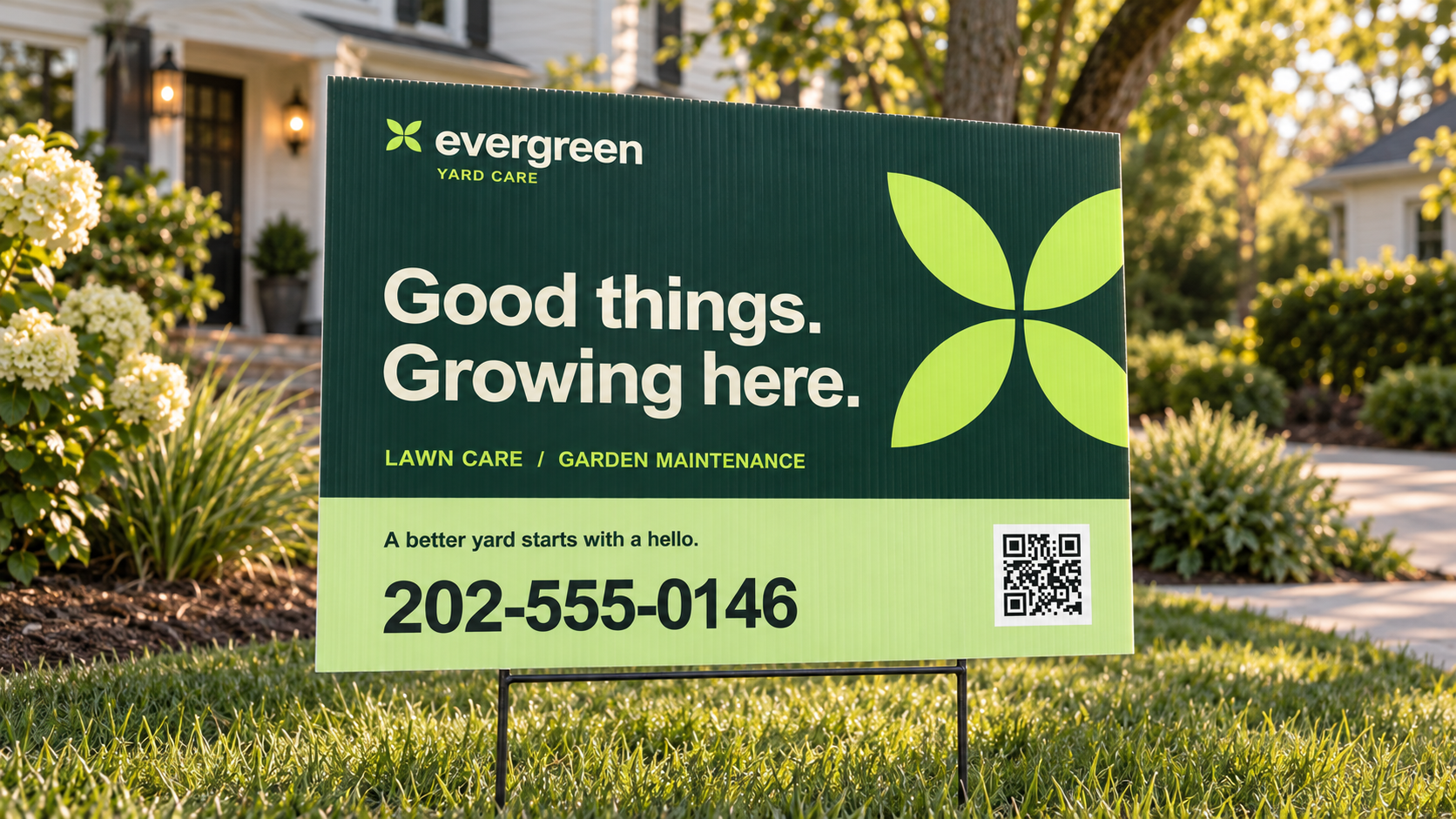
Offscreen shows up to four numbered designs on one sheet and asks which one you want. Look at them the way a neighbor would, from a few steps back. Which phone number can you read without squinting? That one is probably your sign.
Pick by number. If none of them is right, say so in plain words and ask for a new set.
Ask for changes
Changes are plain words. “Make the phone number bigger.” “Try a bolder style.” “Drop the second line.” Each change comes back as a new proof in the chat.
There is no limit. Changes are free and unlimited until you approve a design, and nothing prints until you approve and pay. So ask for the third round if the second one is close but not there.
Check the proof
Before you approve, read the proof like a customer. Is the phone number right, digit by digit? Is the business name spelled the way it is on your truck? Is the scan code there? Ask a friend who does not know your number to read it aloud.
The code on the sign opens a page about your business. After the sign is out, ask your assistant how many times it was scanned this week.
Approve and pay at GetOffscreen.com
When the proof is right, approve it. The price shows in the chat before you pay. You pay on a secure page at GetOffscreen.com, not in the chat, and your assistant cannot pay for you. Shipping and tax are added at checkout.
Offscreen prints and ships to a US street address. Most orders print in 2 to 5 business days, then ship by ground, usually in 1 to 7 business days, and the chat shows an arrival estimate. If you change your mind, you can cancel from the chat until the order goes into production.
Two checks before you approve
Read every digit of the phone number aloud, then read it again. A beautiful sign with one wrong digit is a very expensive mistake, and the proof is the cheapest place to catch it.
Then stand back from your screen and look at the proof small. If you cannot read the phone number at that size, ask for it bigger. Yard signs are read from the street, not from a laptop.
A starter phrase to copy
Paste this into your chat and fill in your own details:
Offscreen, make me a yard sign for my roofing jobs, with my company name and phone number big. Show me a few designs. Do not start an order.
Swap roofing for your trade. The last two sentences keep it a first look: you see designs, and nothing is ordered until you say so.